

Automated Lead Follow-Up: How to Respond Without Losing Context
Automated lead follow-up is not just a scheduled email. A useful system decides when to follow up, what context matters, which channel to use, when a human should review, and how the CRM should be updated afterwards.

Why lead follow-up breaks
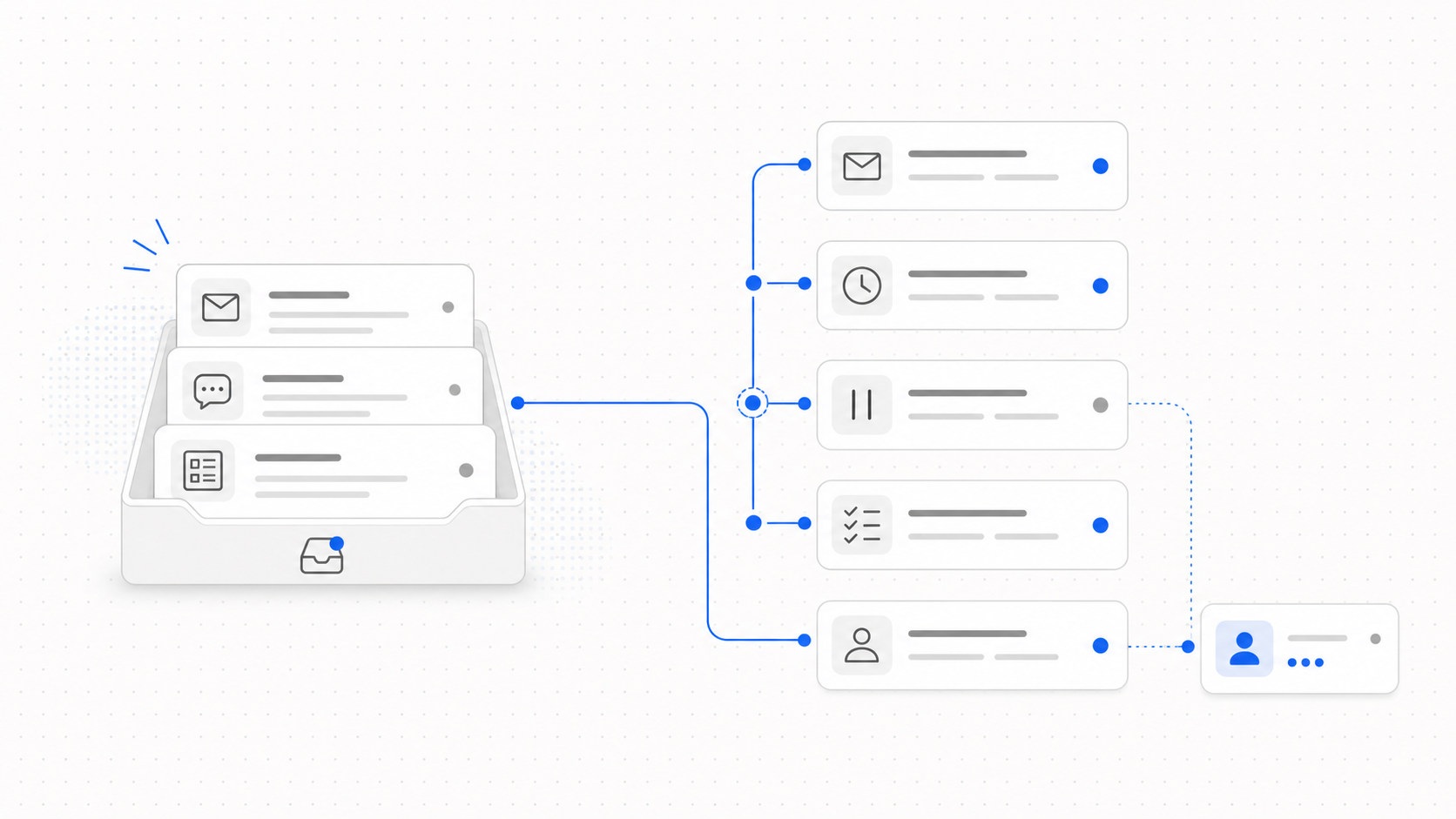
Lead follow-up usually fails for ordinary reasons. The lead came in through one channel, the owner works in another tool, the CRM record is incomplete, and the next step is not clear enough for anyone to act quickly.
By the time the team notices, the lead may already be cold.
Automation helps only when it solves that coordination problem. If it simply sends a generic message three days later, it may create activity without improving the sales process. The goal is not more follow-up. The goal is better-timed, better-informed, and better-routed follow-up.
The five parts of a useful follow-up system
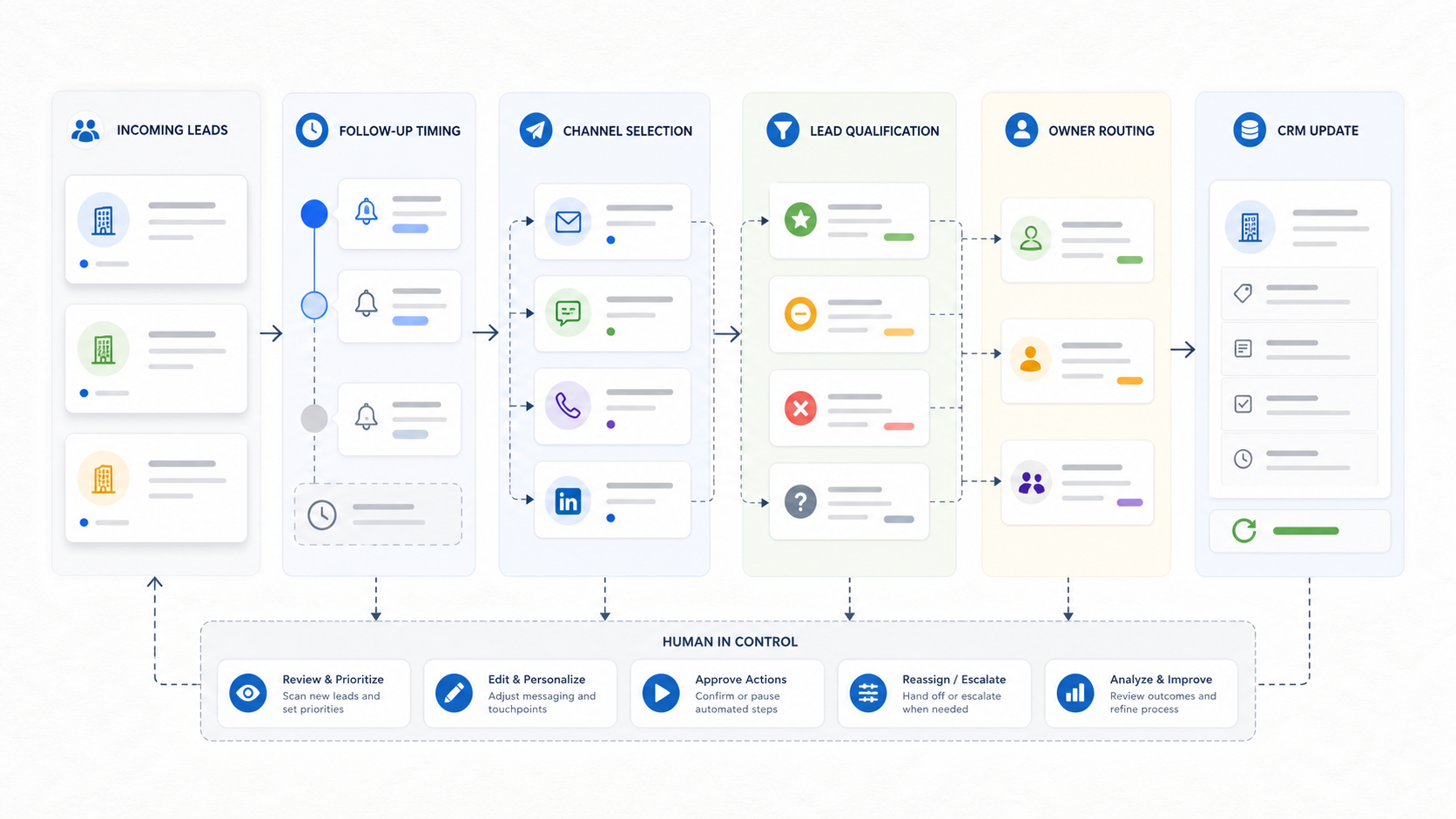
1. Intake
Every follow-up workflow starts with a signal. That signal might come from a form, email, LinkedIn message, chat conversation, imported list, or manual CRM entry.
The first question is whether the system can capture enough context:
- where the lead came from
- what the person asked for
- which company they belong to
- whether they already exist in the CRM
- whether a previous conversation exists
- which product or page created the intent
Without this context, automation becomes blind. It can send something, but it cannot reliably decide what should happen next.
2. Timing
Timing rules should match the lead type. A demo request should not wait three days. A low-intent content download may not need an immediate personal reply. A reply from an existing opportunity may need the owner to pause all automated messaging.
Useful follow-up timing usually combines:
- immediate confirmation
- owner notification
- a short first follow-up window
- a longer second follow-up window
- stop conditions when the lead replies
- escalation when a high-intent lead sits untouched
The important part is not just the delay. It is the rule behind the delay.
3. Channel choice
Lead follow-up should respect the channel where the relationship started. If someone asked a question by email, email may be the right first touch. If a lead came from a social conversation, the system should not immediately force the conversation into a generic CRM sequence.
A strong workflow can choose between channels based on context:
- email for clear business requests
- inbox task for review-heavy conversations
- LinkedIn-style follow-up when the first interaction happened there
- phone task when a direct number is available and urgency is high
- no automated outreach when the person has opted out or suppressed contact
This is why a unified inbox matters. The follow-up system needs a place to see conversation state before it acts.
4. Qualification
Not every lead deserves the same follow-up. Automation should help separate clear next steps from ambiguous records.
Basic qualification signals include:
- company fit
- role or seniority
- geography
- existing customer or prospect state
- product interest
- contactability
- urgency
- source quality
The system does not need to make every judgment alone. It can mark uncertain leads for review and let a person decide. That is still automation if it removes the sorting work and makes the review queue clear.
5. CRM update
Follow-up automation is incomplete if the CRM remains stale. After a touchpoint, the record should reflect what happened.
That can include:
- latest outreach date
- next task
- owner
- lifecycle stage
- channel used
- contactability status
- reply status
- notes from the conversation
The CRM should not become a place where automation sends messages from the outside and leaves no trace. A good workflow closes the loop.
A practical automated follow-up flow
Here is a simple pattern that works for many B2B teams:
- A lead enters from a form, inbound email, message, or list.
- The system checks whether the person and company already exist.
- Missing contact or company context is enriched where possible.
- The system scores the lead for fit and intent.
- Low-risk follow-up is drafted automatically.
- High-intent or uncertain leads are routed to a human.
- The owner gets a task with the full context.
- The CRM is updated after the action.
- The system pauses if the lead replies or opts out.
- Managers can inspect what happened and where the workflow stalled.
This is the difference between a sequence tool and a workflow system. The sequence tool sends messages. The workflow system coordinates work.
Where humans should stay in control
Automated lead follow-up should not remove judgment from sales. It should remove avoidable delay and repetitive coordination.
Keep human review for:
- high-value accounts
- unclear intent
- sensitive industries
- legal or privacy requests
- angry or confused replies
- unusual company structures
- contacts with suppression or compliance flags
Let automation handle:
- reminders
- routing
- draft generation
- record enrichment
- CRM updates
- low-risk status messages
- task creation
This balance matters. Sales teams trust automation when they can see what it is doing and intervene before it creates risk.
How to measure whether it works
Do not measure automated follow-up by message volume alone. More activity can still be worse if the messages are late, generic, or misrouted.
Better metrics:
- time to first meaningful response
- percentage of leads with an assigned owner
- percentage of leads with complete contact data
- reply rate by source
- meeting conversion by follow-up type
- number of untouched high-intent leads
- tasks created versus tasks completed
- opt-out or complaint rate
The metric that usually exposes the problem fastest is untouched high-intent leads. If those exist, automation should start with routing and owner visibility before message generation.
What to build first
Start with a narrow workflow:
New inbound lead -> enrich -> qualify -> route -> draft follow-up -> update CRM.
That workflow is small enough to control, but important enough to matter. It also connects the core systems that make follow-up useful: CRM records, contact data, inbox context, ownership, and tasks.
From there, expand into channel-specific flows:
- follow-up after demo request
- follow-up after no reply
- follow-up after pricing page visit
- follow-up after inbound email
- follow-up after imported lead list
Each flow should have its own stop conditions and review rules.
Bottom line
Automated lead follow-up is not about replacing salespeople. It is about making sure good leads do not disappear between tools.
The best systems combine timing, channel context, qualification, routing, CRM updates, and human review. When those pieces work together, follow-up becomes less dependent on memory and more dependent on a clear operating system.
Frequently Asked Questions
Find quick answers to common questions related to this article.
What is automated lead follow-up?
Automated lead follow-up is a workflow that helps sales teams respond to leads at the right time, through the right channel, using CRM and conversation context.
Should every lead follow-up be fully automated?
No. Routine reminders, routing, and low-risk messages can often be automated, but high-intent, sensitive, or complex conversations should stay reviewable by a human.
What makes lead follow-up automation effective?
The most effective systems combine timing, channel context, lead qualification, owner routing, CRM updates, and clear rules for when automation should pause.
Can't find what you're looking for? get started with Workbase